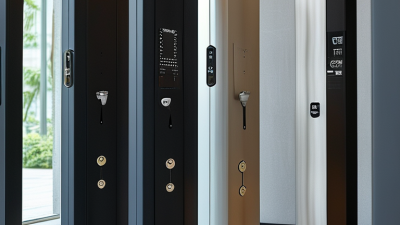
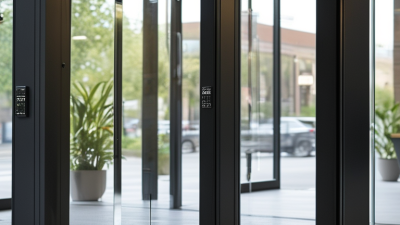
A locked door can look secure while leaving a busy workplace exposed to avoidable risks. A delivery worker waits beside the entrance. An employee holds the door for someone they do not recognize. These ordinary moments show why access control doors matter. They help businesses manage who enters, which areas they can reach, and when access is permitted. Depending on the system, credentials may include key cards, mobile devices, or PINs. Entry records can also help managers review incidents and spot unusual patterns. As security technologist Bruce Schneier has said, “Security is a process, not a product.” That idea applies here: a door system works best when people, procedures, and equipment support one another.
The right setup can protect offices, storage rooms, clinics, and other spaces without making daily work feel like a checkpoint. Staff can move through authorized entrances, while managers adjust permissions as roles change. Visitors still need clear instructions and a respectful welcome. Small details matter. A reader placed too high, a confusing exit route, or forgotten access permissions can weaken an otherwise capable system. Access control doors are not magic, and they cannot prevent every incident. Businesses should consider traffic patterns, accessibility, emergency egress, maintenance, and staff training before choosing equipment. A practical review can reveal gaps that a product brochure will not. This article explores the business value of access control doors, the features worth comparing, and the questions owners should ask before installation.
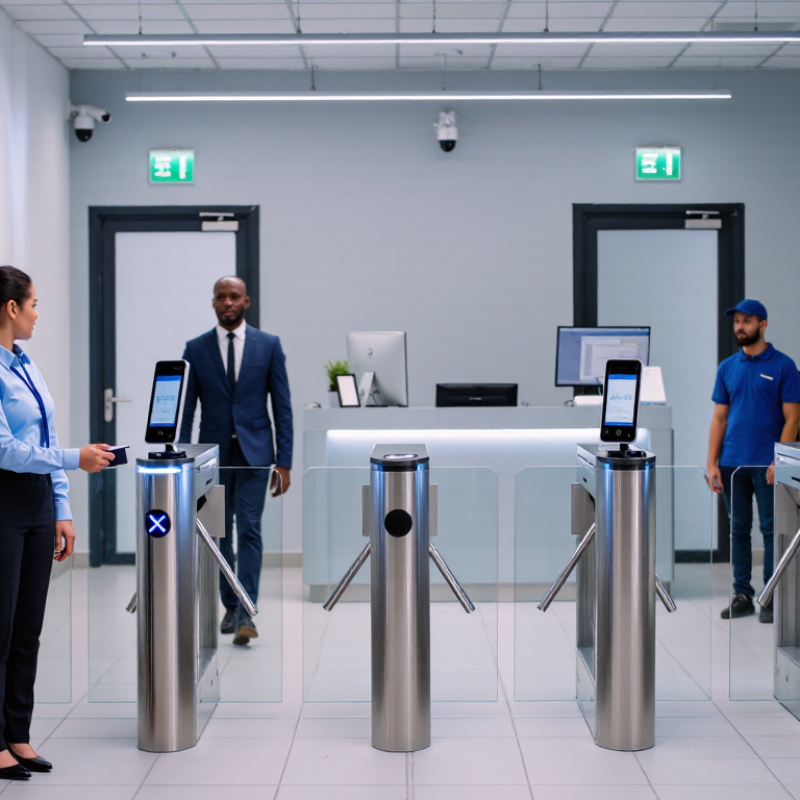
An access control door combines a physical door with an electronic reader, a credential, and a locking device. A credential may be a card, mobile pass, or PIN. When someone presents it, a controller checks the person’s permissions and the access schedule. If approved, the lock releases for a few seconds; otherwise, the door stays secured. A sensor can also report whether the door is open or forced. The system records events, giving managers a time-stamped trail instead of relying on keys that are difficult to track.
The setup is practical, but not foolproof. A propped-open door can defeat a reader, and poorly managed credentials can create gaps. Verizon’s 2024 Data Breach Investigations Report found that the human element was involved in 68% of breaches. That figure concerns cyber breaches, not door failures, but it underscores the value of clear access rules and careful credential handling. Businesses should match permissions to actual roles, remove access promptly when duties change, and review logs for unusual patterns. For example, repeated rejected entries after closing may warrant a closer look. A door alone cannot explain every event, so cameras, alarms, and trained staff may provide useful context.
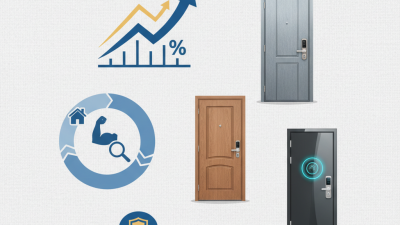
An access-control door does more than lock a room. It checks who is entering, whether their credentials are current, and which areas they may use. A staff badge can open the office floor but not the server room. Visitors can receive time-limited passes, while entry logs help managers review unusual activity. Keep the process practical. A rushed employee may hold the door for someone without checking.
The 2024 Data Breach Investigations Report found that 68% of breaches involved a human element. That figure highlights why identity checks need clear procedures, not just hardware. A guard should know how to handle a lost badge. Reception staff need a simple way to confirm appointments. Small details matter.
Digital access records also deserve care. The 2024 Cost of a Data Breach Report found that compromised credentials were an initial attack vector in 16% of breaches, with an average 292-day identification and containment period. Strong account controls can reduce exposure if door systems connect to business networks. Review permissions regularly, remove access when roles change, and check logs for repeated denied entries. No badge is foolproof. People still make exceptions, and those exceptions can become routine.
An access control door helps a business decide who can enter specific areas and when. A staff badge can open the office entrance, while a separate permission level protects a stockroom or server room. This reduces casual access to sensitive spaces without forcing every employee to carry a separate key. It also makes changes easier when roles shift or a badge is misplaced. Small details matter.
These systems can support daily operations, not just security. A reception team can issue temporary credentials to a scheduled contractor and limit access to relevant floors. Entry records may help managers check when a delivery arrived or investigate an unexpected door opening. Clear permissions can also reduce interruptions, since employees need fewer manual escorts. But records are only useful when someone reviews them and keeps them accurate.
The hardware still needs practical attention. A door that closes slowly, a reader hidden behind a plant, or a badge process nobody understands can frustrate staff and weaken the routine. Test access during busy periods, keep an alternative procedure for outages, and explain what to do when a badge fails. Technology is not judgment. Businesses should review access lists regularly and handle entry data with care; it is easy to collect more than the team actually needs.
Access control doors help businesses manage who can enter specific spaces without slowing everyday work. A front-office keypad may suit a small clinic, while card readers can help staff move through a busy warehouse. For sensitive rooms, biometric readers can add identity checks, though they need careful setup and a practical backup. No single door type fits every building.
Glass-entry intercom systems let reception staff speak with visitors before releasing the door. Turnstiles can guide foot traffic at larger facilities, but they may feel awkward when deliveries arrive. A locked server-room door needs different controls from a staff entrance. Match the reader, lock, and door hardware to the room’s purpose. Small details matter. A system that looks reliable on paper may still frustrate employees if credentials fail or access rules are unclear.
Tips: Test doors during busy periods, not just after installation. Keep a clear process for lost cards, visitor access, and staff departures. Check that doors close securely and that authorized people can exit easily. It is easy to overlook the delivery entrance. Don’t.
| Access Control Door Type | How It Works | Common Business Uses | Practical Advantages | Key Considerations |
|---|---|---|---|---|
| Card or Mobile-Credential Door | A reader checks an access card or supported mobile credential and signals an electric lock to release. | Office entrances, staff-only areas, shared workplaces, and controlled interior doors. | Credentials can be assigned or revoked without routinely changing a mechanical key; access events may be recorded when the system supports logging. | Lost credentials should be disabled promptly. Door hardware and wiring must be compatible with the access system. |
| Keypad or PIN Door | A user enters a code on a keypad to request entry. | Small offices, storage rooms, staff entrances, and locations where issuing individual credentials is impractical. | Does not require a physical card, and codes can be changed when access needs change. | Shared codes are harder to attribute to an individual and may be disclosed. Use appropriate code management and avoid easily guessed PINs. |
| Biometric Door | A reader compares a presented fingerprint, facial feature, or other biometric characteristic with an authorized template. | Restricted rooms, sensitive records areas, and facilities that require stronger identity checks. | Can make credential sharing more difficult when properly configured and combined with suitable security procedures. | Consider privacy laws, consent, data protection, accessibility, false rejection, and a secure alternative for authorized users who cannot use the reader. |
| Electric Strike or Electromagnetic-Lock Door | An electric strike releases a compatible latch, or an electromagnetic lock holds a door closed until the access system permits entry. | Main entrances, internal controlled doors, and areas where an existing door may be adapted for electronic access. | Can integrate with card readers, keypads, and other authorization methods. | Lock choice, power-loss behavior, emergency release, door construction, and local fire and egress requirements need professional review. |
| Turnstile or Controlled Lane | A credential reader authorizes passage through a rotating or retractable barrier. | Busy office lobbies, employee entrances, transport-related workplaces, and sites that need to manage pedestrian flow. | Helps direct entry through a defined checkpoint and can support occupancy or entry-event monitoring. | Plan for accessible routes, emergency evacuation, visitor handling, and adequate throughput during peak periods. |
| Speed Gate | Sensor-equipped glass or other barrier panels open after authorization and close after passage. | Corporate lobbies and higher-traffic reception areas where a more open entry layout is desired. | Supports organized pedestrian flow and can be integrated with credential readers and reception procedures. | Barriers do not replace trained security staff or visitor controls. Accessible passage and emergency operation must be considered. |
| Interlocking Door or Mantrap | Two doors are controlled so that, under configured operating conditions, one remains secured while the other is in use. | Cash-handling areas, data rooms, laboratories, and other spaces requiring a controlled transition. | Can create an additional screening point and help limit unauthorized follow-through. | Requires careful design for emergency egress, accessibility, fire safety, and safe operation during power or system failure. |
| Video-Intercom Door | A visitor requests entry through an intercom; an authorized employee or receptionist can verify and release the door remotely. | Reception areas, delivery entrances, small business premises, and entrances that are not continuously staffed. | Allows visitors to be screened before entry and can reduce the need to leave a secure area to answer the door. | Remote release should follow a visitor-verification procedure. Camera placement, audio privacy, and backup arrangements matter. |
Planning note: Access control should be selected according to the site’s risk, traffic, accessibility, and operational needs. Door hardware and release behavior must comply with applicable fire, building, and emergency-egress requirements.
An access control door is only as dependable as the choices behind it. Selection should start with a simple question: who needs access, and when? A small office may need keypad entry, while a busy warehouse may benefit from card readers and door-position sensors. Consider daily traffic, visitor handling, power backup, and how easily permissions can be changed. Avoid paying for features no one will use. Small details matter.
Installation affects security and usability. The lock, frame, reader, and door closer must work together; poor alignment can cause missed reads or doors that fail to latch. Have a qualified installer check wiring routes, emergency egress, and integration with existing alarms. Then test ordinary entry, denied access, power loss, and backup operation. Keep a record of the results. A perfect setup on paper can still feel awkward when staff queue at the entrance, so observe real use and adjust.
Upkeep should be scheduled, not left until something breaks. Clean readers with suitable materials, inspect hinges and closers, test backup batteries, and review access permissions when staff roles change. Test them regularly. Keep maintenance notes with dates, faults, and repairs; patterns can reveal a failing sensor before it stops working. Access logs also deserve careful handling, with access limited to people who need them. Small teams may skip reviews during busy weeks. That is understandable, but it leaves old permissions in place.